
Faster data collection, bulk search for up to 1,000 indicators, and a redesigned Threat Profiles experience.
Data Collection Upgrades & New Bulk Search
Validin is rolling out significant improvements to our data collection pipeline, allowing us to catch much shorter lived infrastructure. In addition, we’ve increased our scanning rate for TXT, MX, SRV, HTTPS, CAA, and SOA records from weekly to daily. On the product side, we’ve launched a new bulk search feature allowing analysts to search and enrich up to 1,000 indicators at a time. We’ve also launched a refreshed Threat Profiles page, adding the ability to see how many indicators have been added to a group on any given day.
Catching short-lived infrastructure & increased DNS scanning frequency
Validin has improved its ability to scan short-lived infrastructure that would typically fall between scanning intervals. The domain centralacessonu[.]online uses the title tag Verificação de Conta, which serves as a useful pivot: querying for this value surfaces a broad cluster of pages that appear to be Brazilian bank phishing themed. This domain was only online for about 12 hours, but our data collection infrastructure was able to collect both DNS and host response records from it before it was shut down. This not only enriches our historical visibility but significantly improves Validin’s monitoring features that depend on this data, such as our YARA live rules and daily alerts.
![Figure 1. The collection timeline showing the brief window during which centralacessonu[.]online resolved.](/images/upgraded_data_collection_bulk_search/image5.png "Figure 1. The collection timeline showing the brief window during which centralacessonu[.]online resolved.")
Figure 1. The collection timeline showing the brief window during which centralacessonu[.]online resolved.
Getting started with Bulk Search
We’re also rolling out a new bulk search experience on Validin, allowing analysts to search up to 1,000 indicators at a time on our enterprise platform. To get started, first click the “Bulk Analyze” tab in our main menu. From there, paste in a threat report, or a list of indicators you are looking to enrich, then click “Next”.
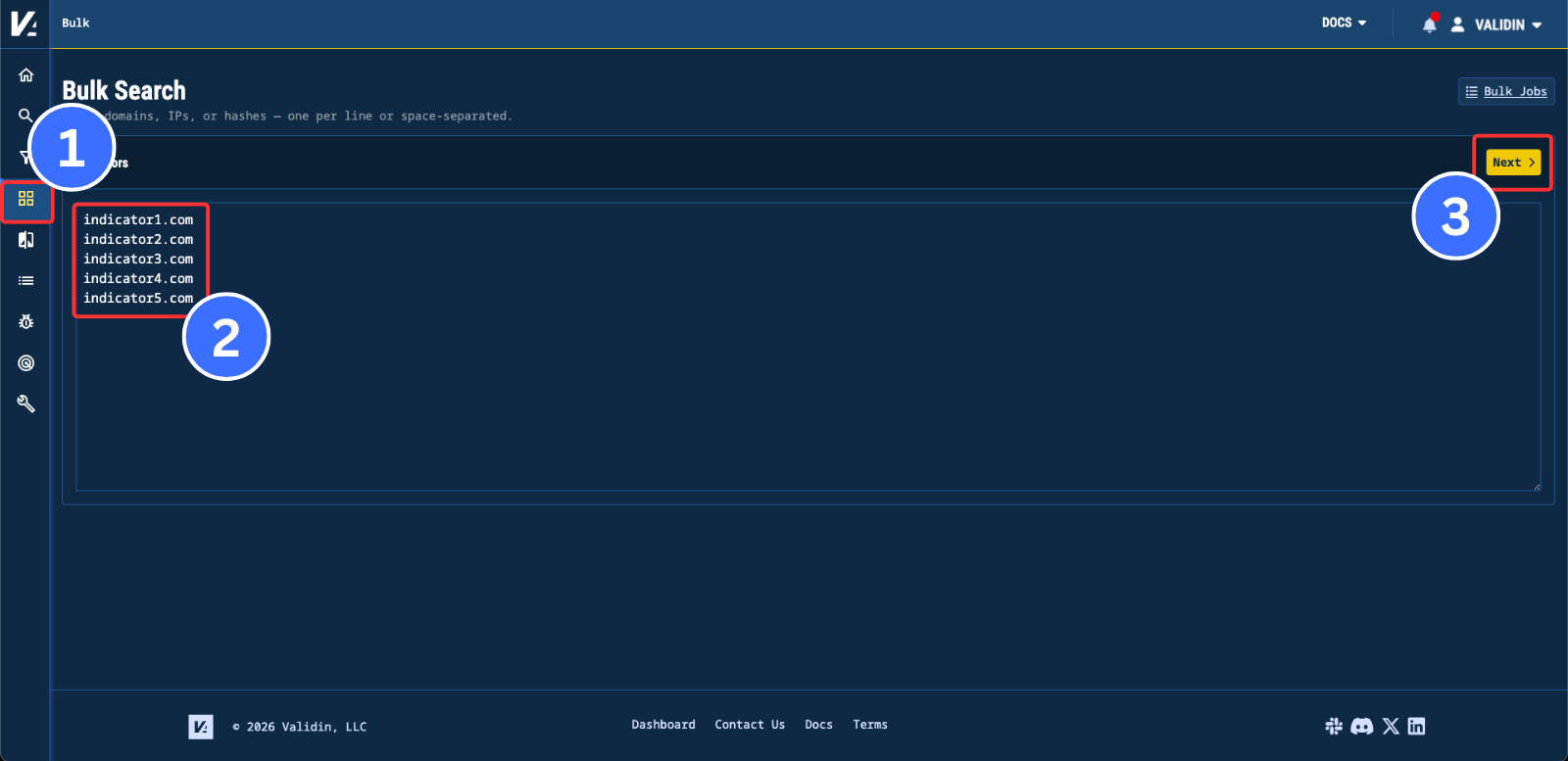
Figure 2. The Bulk Analyze input page, where you paste a threat report or list of indicators to enrich.
An enriched view of all your indicators will appear, with maliciousness and warning annotations. Here you can further edit or remove indicators and change their type. In addition, you can configure which data sources you’d like to query. You can select our Resolutions, Extra DNS, Host Responses or Registrations data sources on a per-indicator or for the entire batch. Finally, select “Run Search” to start the bulk search. Each job moves through three states, Queued, Running, and Completed, so you can track progress as the search executes.
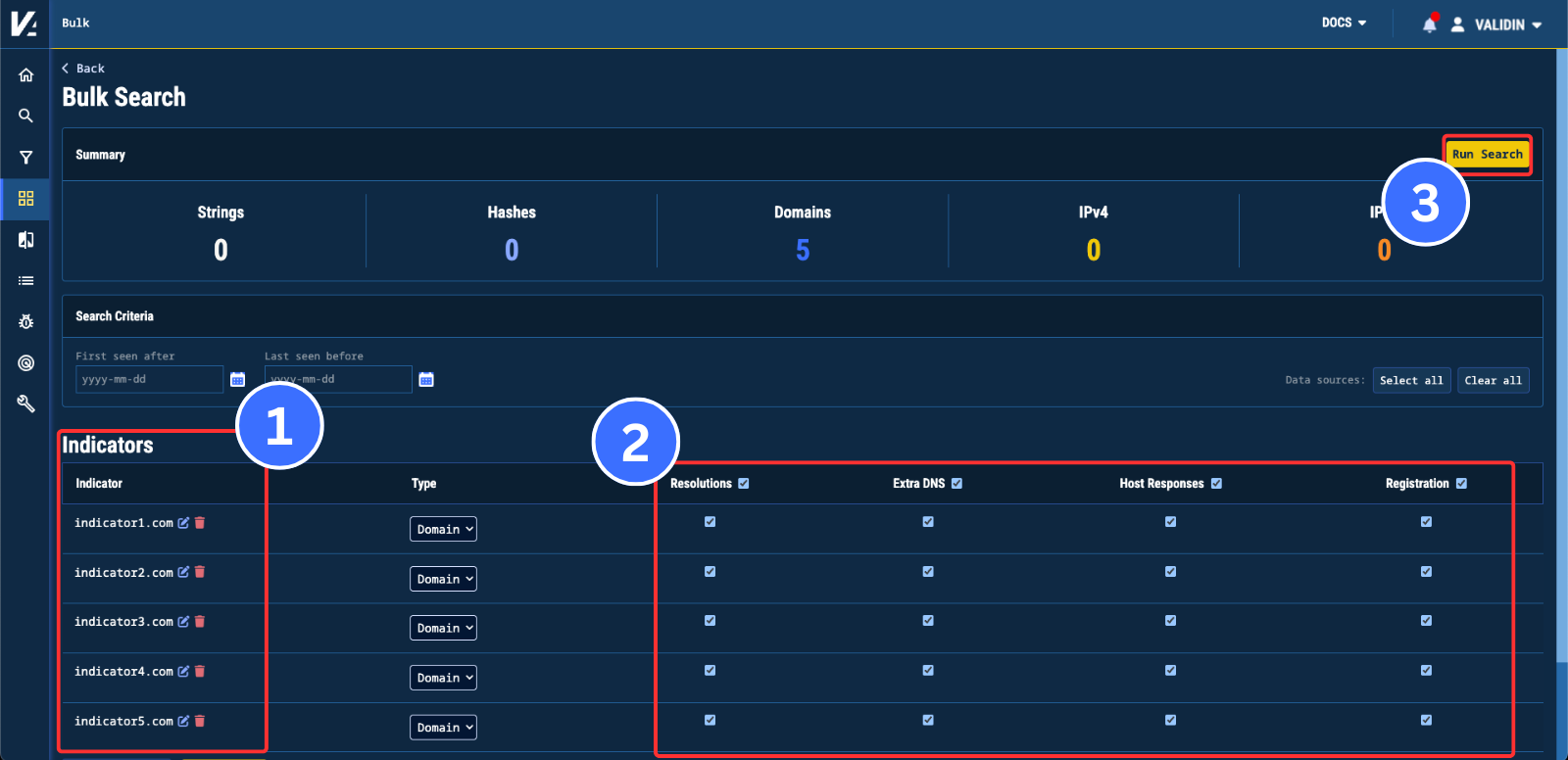
Figure 3. The Bulk Analyze search configuration page, with per-indicator data source selection and maliciousness annotations.
Once the search has been completed, your results will be separated into the Resolutions, DNS Records, Host Connections, Host Responses and Registration. The indicator tab allows you to review the original indicators you submitted for bulk search.
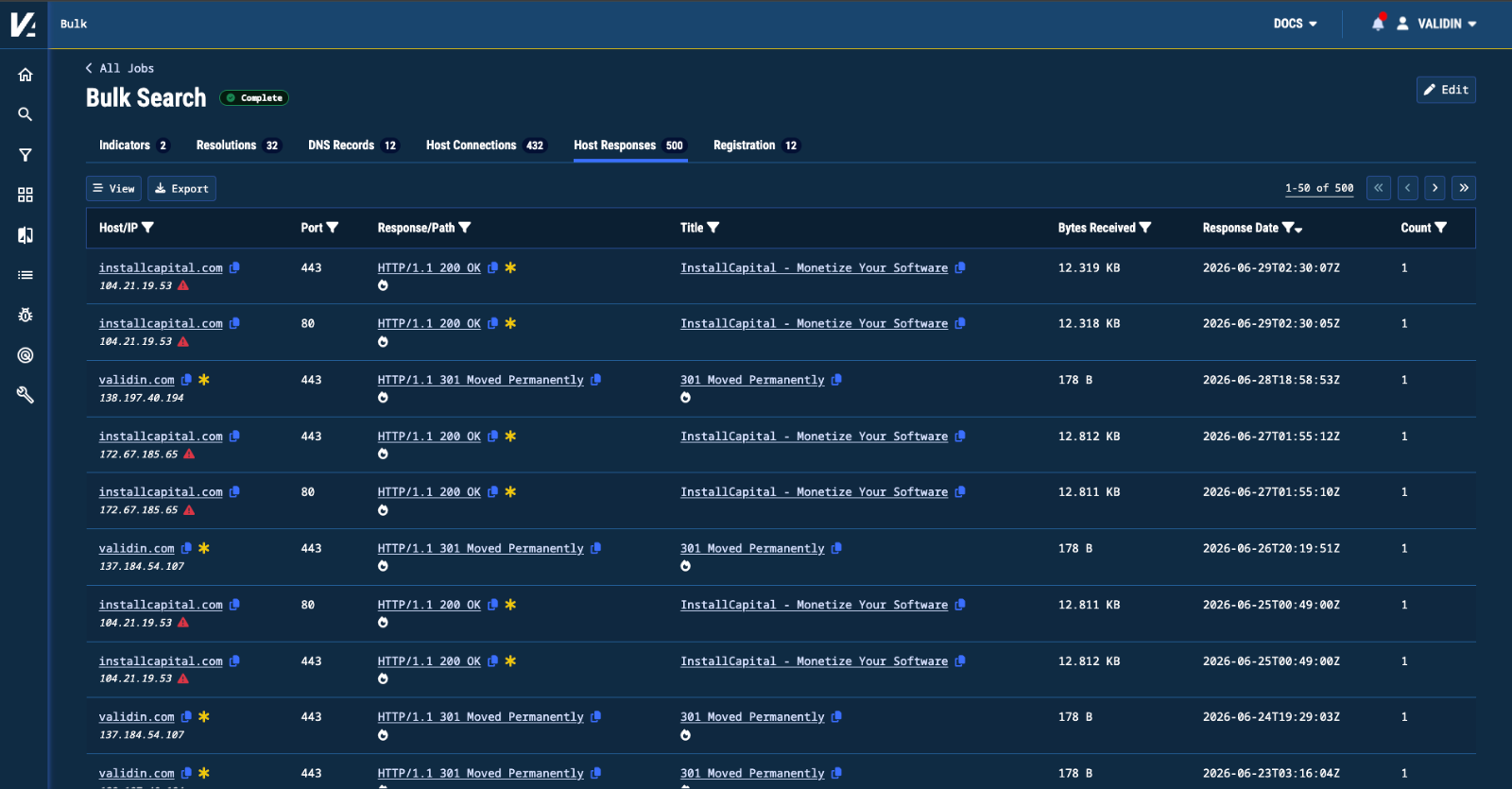
Figure 4. The results page for a Bulk Analyze search, separated into Resolutions, DNS Records, Host Connections, Host Responses, and Registration tabs.
Redesigned Threat Profiles
We’ve completely redesigned our Threat Profiles page to improve its searchability and to highlight recently active threat groups. Below is the new card view, which allows you to sort by most recent activity and contains an indicator chart that displays the number of indicators added per day.
Figure 5. The card view of the redesigned Threat Profiles page, sortable by recent activity with a per-day indicator chart on each card.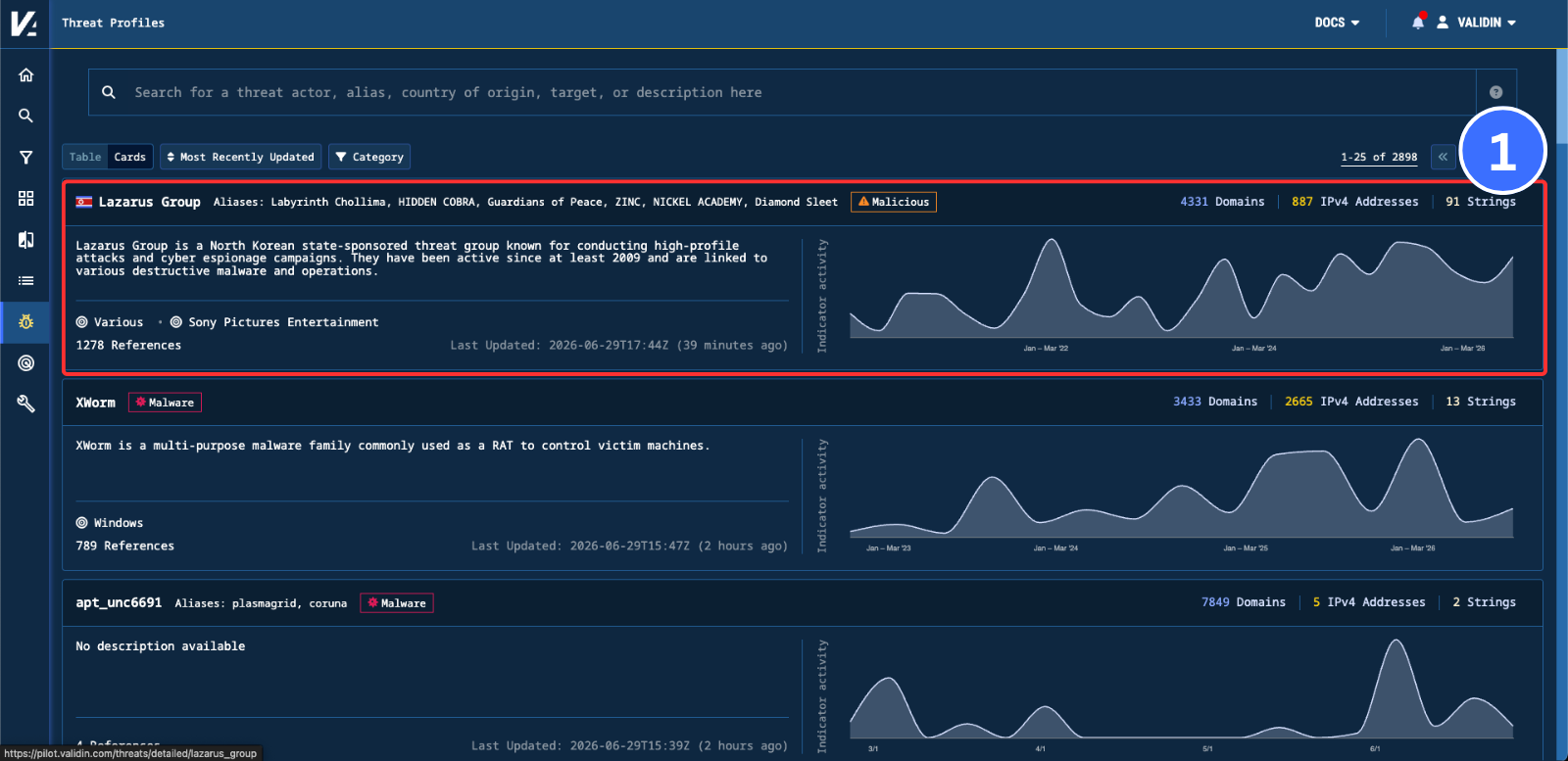
Clicking one of these cards leads to a more detailed page for the threat group, containing more detailed indicator activity graphs and threat group specifics.
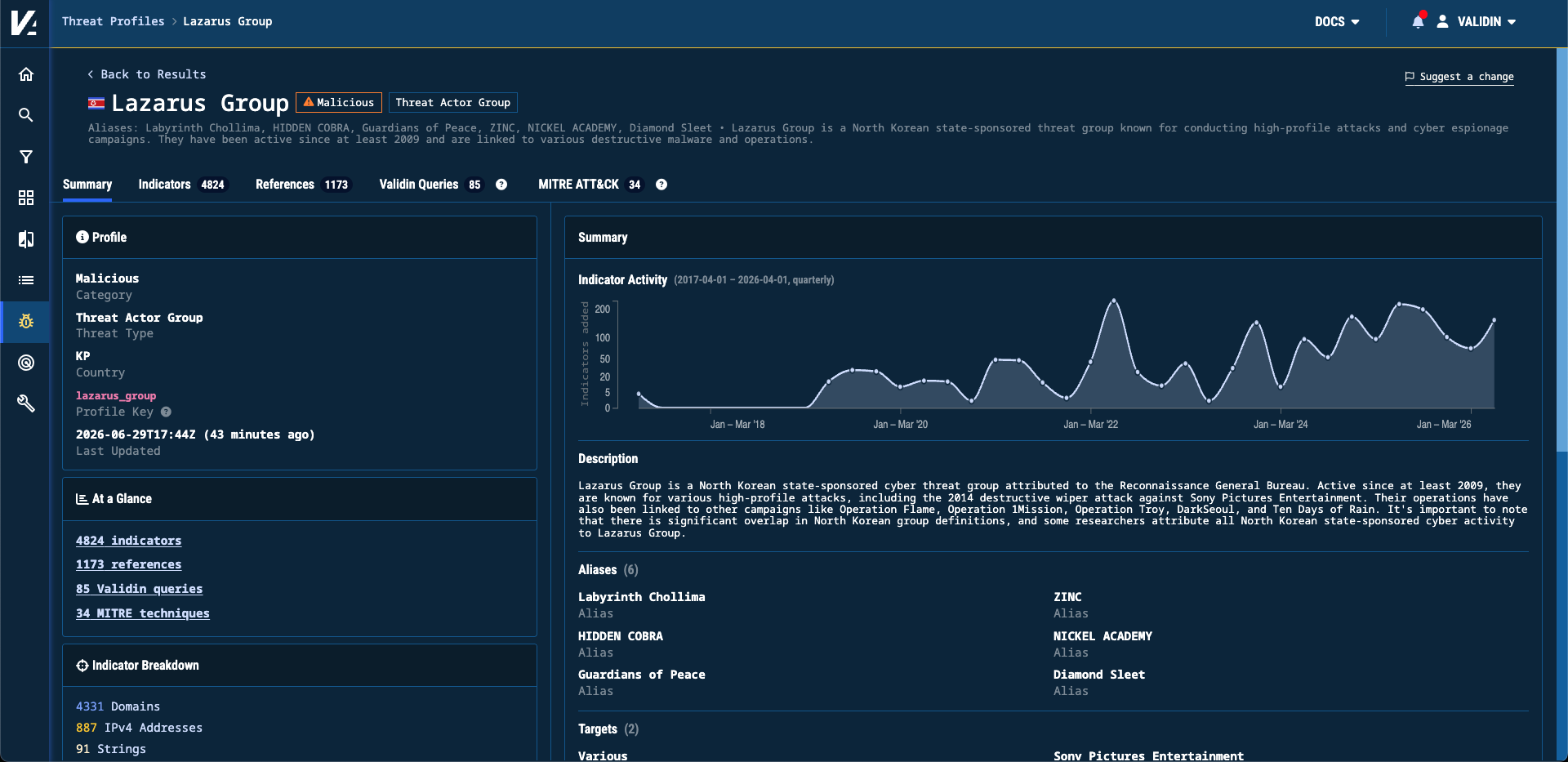
Figure 6. The detailed page for a single Threat Profile, with expanded indicator activity graphs and threat group specifics.
Advanced Search Data Availability
Based on feedback from our beta period with advanced search, we’re reducing the data lookback to 30 days to improve query performance. We’re continuing to improve our new advanced search engine and expand the breadth and flexibility it supports.
Conclusion
These updates make Validin faster at catching the infrastructure that matters and easier to work at scale. Daily DNS scanning and improved collection of short-lived infrastructure mean more of the ephemeral, quickly-rotated assets attackers rely on now land in your historical record, and feed the monitoring features built on top of it. Bulk Search lets analysts enrich up to 1,000 indicators in a single pass. We’re continuing to expand our data collection and search capabilities in the months ahead, and we’d love to hear how these features fit into your workflows. Reach out anytime at lets.talk@validin.com.