
Announcing updates to the Advanced Search and YARA interfaces
This July, we enabled a much-requested advanced search feature: network filters. Users can now input CIDRs into any compatible IP field, enabling pivots that previously had to be done manually. In addition, we’ve revamped our YARA summary statistics to focus on newly observed indicators rather than individual matches.
Filtering by ASN & CIDR
Advanced Search now accepts a CIDR block in any field that previously required an IP address, including dns.a, dns.aaaa, and services.ip, so dns.a = "10.0.0.0/8" returns every domain with an A record anywhere in that block instead of making you enumerate addresses one at a time. Alongside that, a new global filter, WITH network = "...", accepts either a CIDR or an ASN (AS13335, AS 13335, or just 13335) and limits the IP addresses a query returns to that network, expanding an ASN to its announced prefixes for you. Both features work with the rest of the query language: services.http.title = "Login" WITH network = "AS13335" narrows the addresses you get back to that AS while leaving your domain results untouched, just as WITH tld narrows domains without affecting IPs.
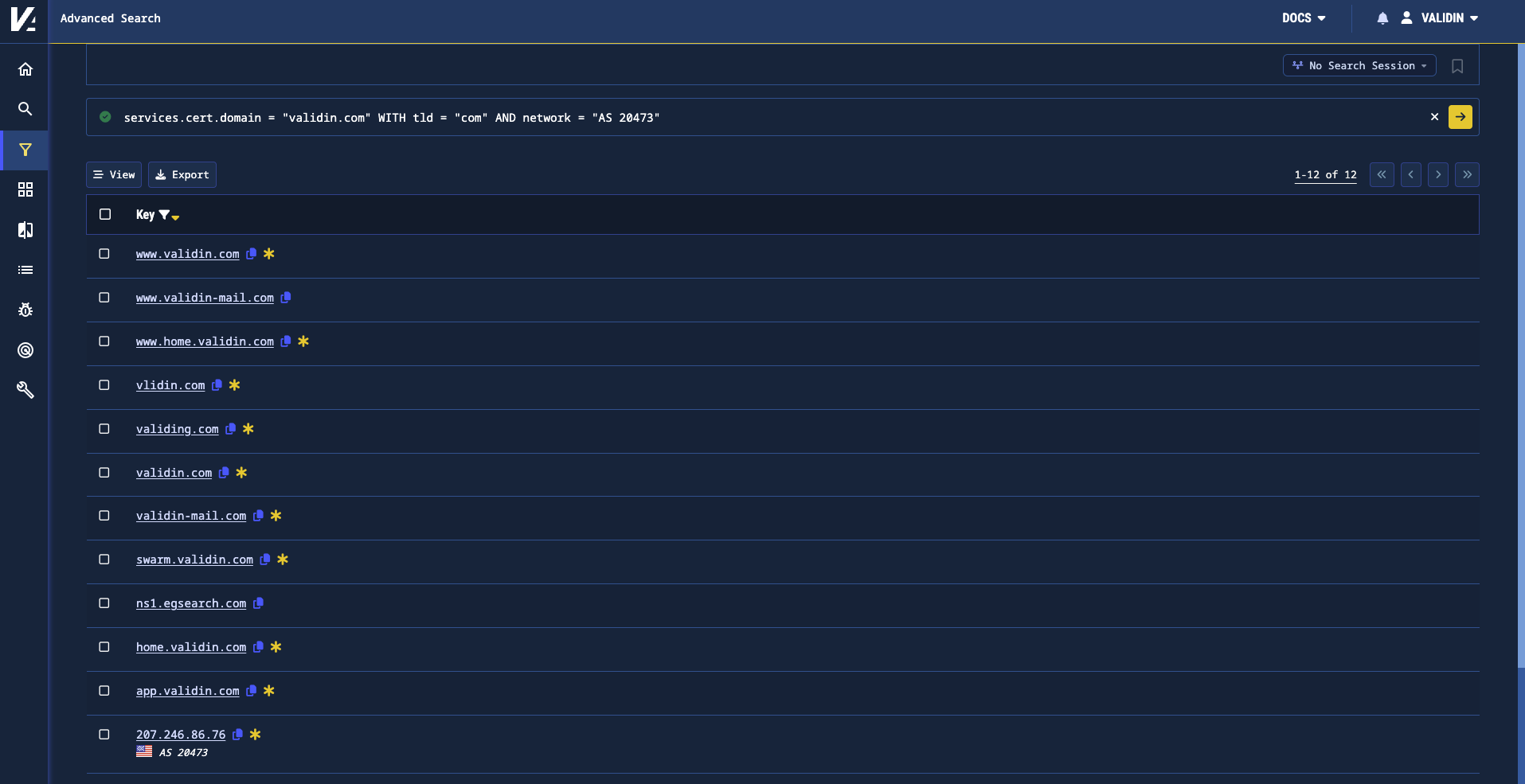
Figure 1. Using the global network and TLD filters to narrow results to hosts serving a validin.com certificate
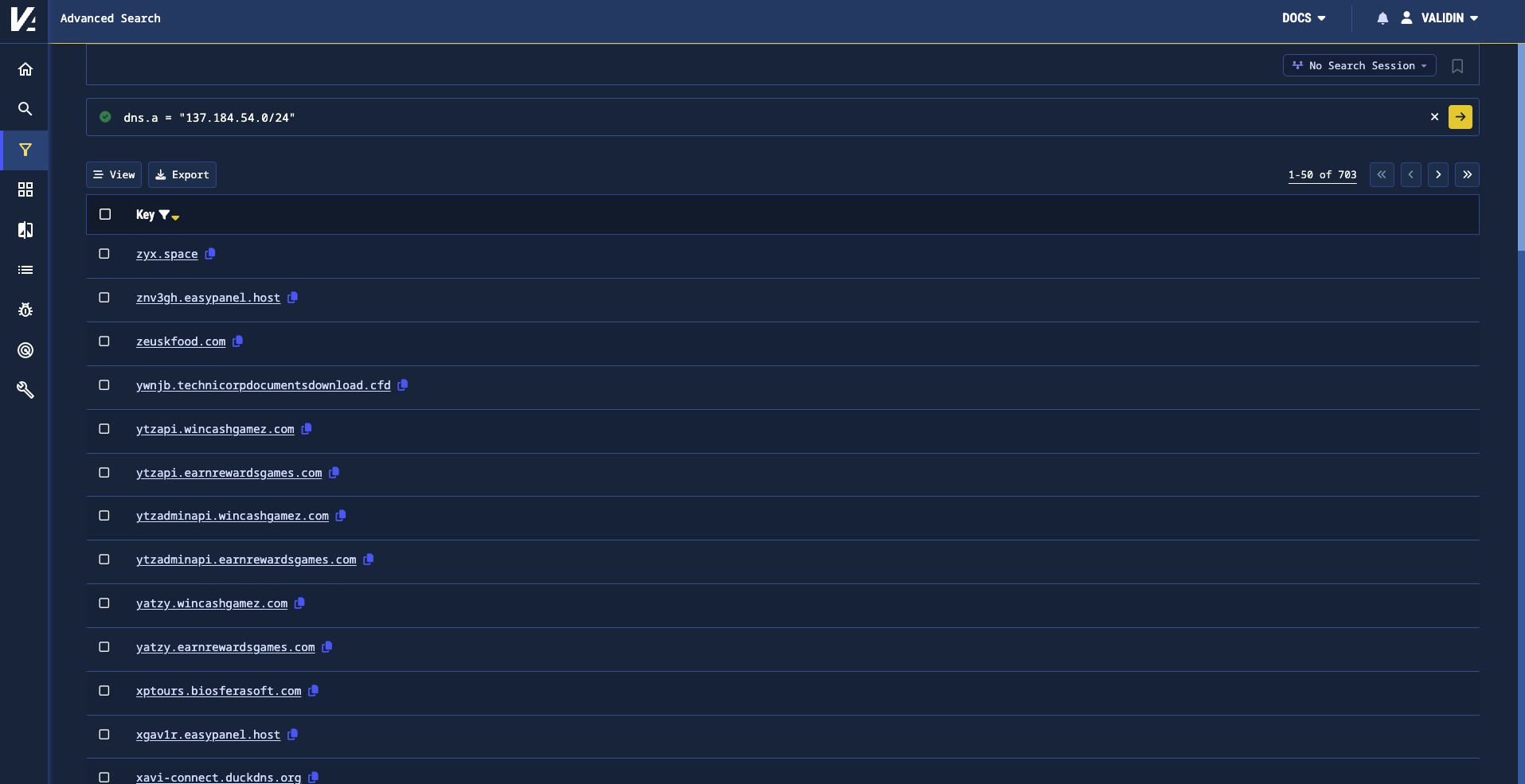
Figure 2. Searching this CIDR in dns.a finds all domains that had an A record in the block during the past 30 days.
We’re working hard to improve our beta preview of Advanced Search for enterprise customers. Once Advanced Search is out of beta later this year, we will make it available to community users.
Updated YARA Summary Statistics
In order to give analysts a better view into the scale of their YARA rules, we’ve updated the summary statistics displayed alongside YARA rules.
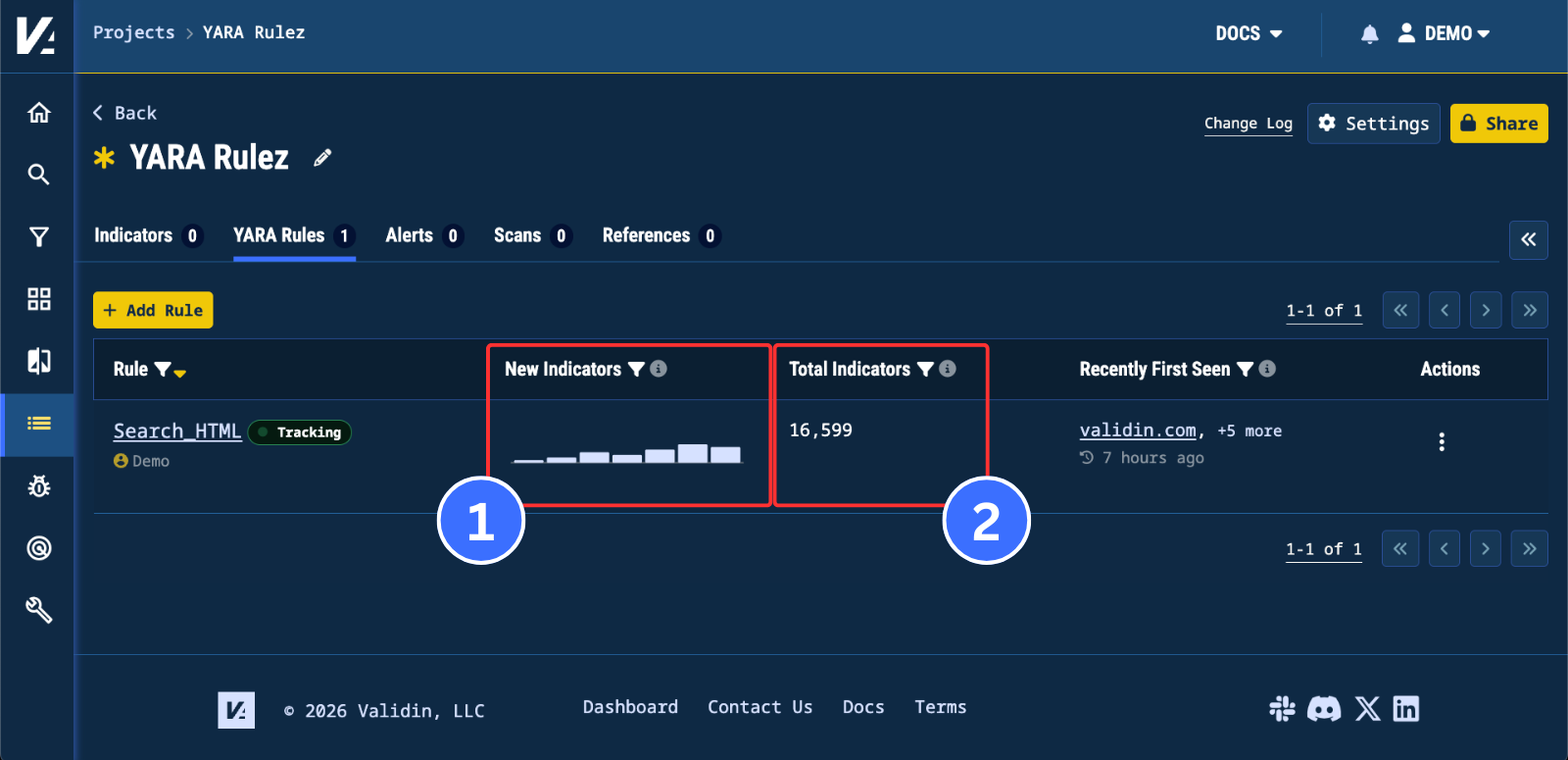
Figure 3. The new summary columns in a project’s YARA Rules tab
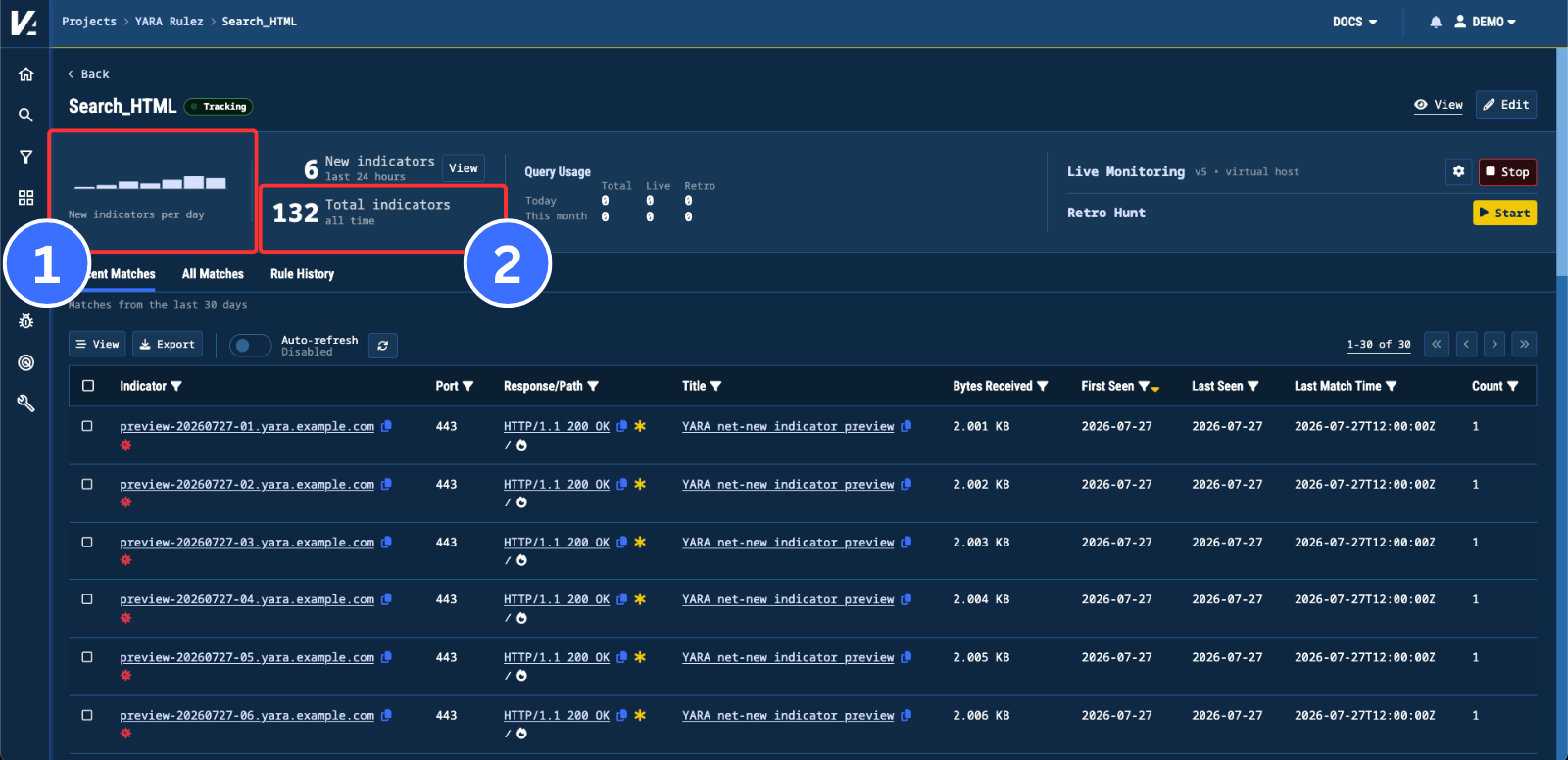
Figure 4. The new summary statistics for a YARA rule’s result set
The old bar chart representing total matches per day has been replaced with a “New Indicators” chart that tracks the number of new indicators seen per day over the seven UTC days (1). In addition, a “Total Indicators” column has been added, displaying the total number of indicators for a YARA rule’s result set (2). Similar updates have also been made to the summary section of the YARA results page.
Conclusion
Looking to level up your threat hunting workflows? Contact us at lets.talk@validin.com.