
Validin now archives open directories exposed across the internet, so Enterprise users can search, browse, and compare the folders and files they contain.
This September, we’re excited to announce that Open Directories is now available in beta to all Enterprise customers.
Takeaways
- Validin now archives open directory listings and file content, allowing analysts to search files and directories observed across the internet.
- Analysts can search by infrastructure attributes such as domain, IP address, network range, and port, as well as file attributes including filename, path, extension, size, modification time, content type, and file hashes.
- A new Open Directories Explorer makes it possible to browse captured directories, inspect and preview files, and review how files and directory contents change over time.
- Open Directories supports a dedicated Validin Query Language (VQL) syntax for constructing more complex searches across directory and file attributes.
What Are Open Directories?
Open directories are web-accessible folders that expose lists of files and subdirectories without requiring authentication. Some are intentionally used to distribute public files, while others are exposed as the result of a server misconfiguration.
For threat researchers, the contents of these directories can provide valuable additional context about infrastructure. A directory might expose malware, scripts, configuration files, archived data, phishing kits, logs, or other files associated with an investigation.
Validin now continuously identifies and collects open directories across the internet, including directory listings and, when available, the files contained within them.
Rather than requiring researchers to locate and inspect these directories individually, Open Directories makes this data searchable as a historical dataset inside Validin.
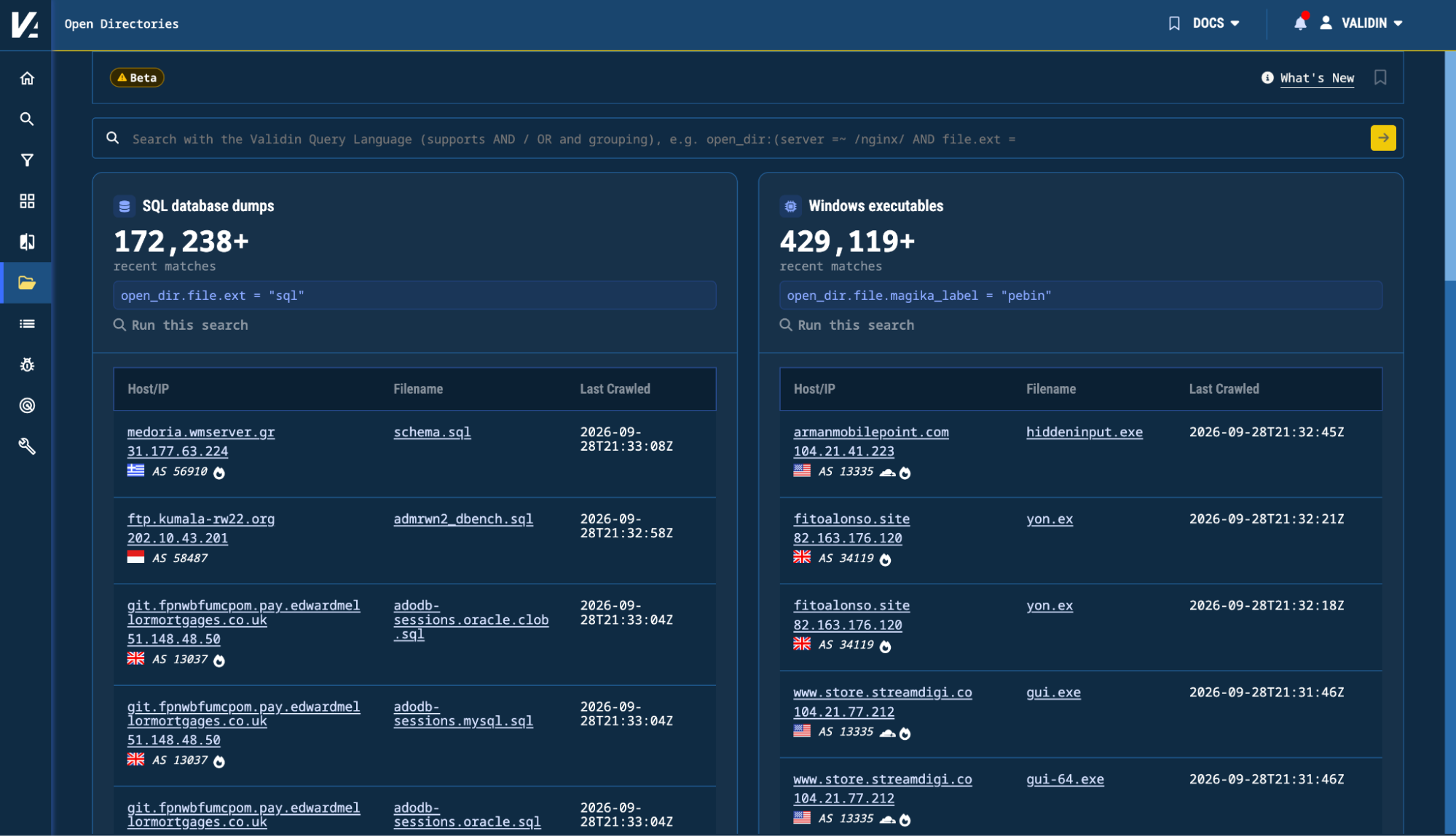
Figure 1. The new Open Directories experience in Validin.
Searching Open Directories
Researchers can begin an investigation with an IP address or domain name, or search directly across attributes of the directories and files Validin has collected.
For example, Open Directories can be searched using infrastructure attributes including:
- Domain or virtual host
- IP address or CIDR range
- Port
- HTTP server
- Directory title
Researchers can also search against attributes of collected files, including:
- Filename and path
- File extension
- File size
- Modification time
- Server-reported content type
- Content type identified by Magika or libmagic
- SHA-256, SHA-1, and MD5 hashes
This makes it possible to search open directories from either direction: starting with known infrastructure and inspecting exposed files, or starting with known file characteristics and discovering the infrastructure where they were observed.
.")
Figure 2. Open Directories search results for open_dir.file: (magika_label = "javascript" AND size > 0).
Open Directories and VQL
Open Directories also introduces a dedicated set of fields in the Validin Query Language (VQL).
A simple query can search for crawls containing a particular file type:
open_dir.file.ext = "zip"
Conditions can then be combined to build more targeted searches.
For example:
open_dir.file: (name = "CVE*" AND magika_label = "python")
This query finds files whose names start with “CVE” and that Magika identifies as Python.
Open Directories VQL supports AND, OR, nested conditions, regular expressions, CIDR ranges, filename matching, file sizes, modification dates, hashes, and other file and directory metadata.
One useful distinction is between searches that describe an entire directory crawl and searches that require multiple attributes to match the same file.
For example:
open_dir.file: (magika_label = "javascript" AND size > 0)
Using an open_dir.file:(...) group ensures that each condition applies to the same collected file rather than potentially matching different files from the same directory.
Exploring Collected Directories and Files
Search results lead directly into the Open Directories Explorer.
The Explorer reconstructs the collected directory hierarchy, allowing analysts to navigate between directories and subdirectories and inspect the files captured during a crawl.
For collected files, Validin can display metadata including the filename, full path, size, modification time, HTTP content type, detected file types, and cryptographic hashes.
Depending on the collected content, analysts can also preview files directly inside Validin. Text files can be viewed as text, images can be rendered, and binary content can be inspected using a hexadecimal preview.
![Figure 3. The Open Directories Explorer displaying an exposed directory on 2hops[.]link.](/images/open_directories/image3.png "Figure 3. The Open Directories Explorer displaying an exposed directory on 2hops[.]link.")
Figure 3. The Open Directories Explorer displaying an exposed directory on 2hops[.]link.
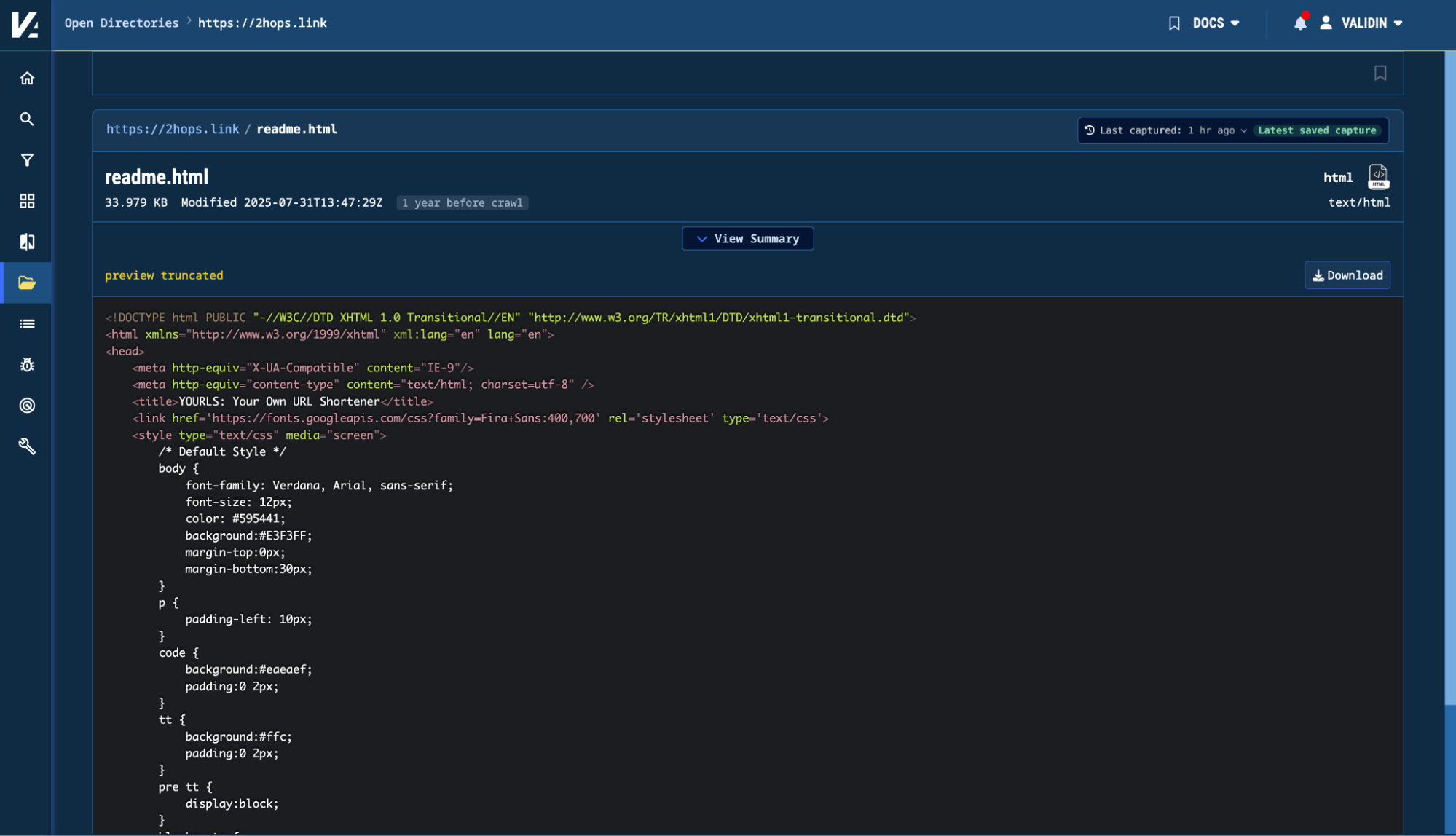
Figure 4. Previewing readme.html directly within Validin.
Captured files can also be downloaded for further analysis.
Listed vs. Collected Files
In some cases, a directory may advertise more files than Validin was able to collect during a particular crawl.
Open Directories distinguishes between files whose contents were fetched and files that were observed in the directory listing but were not collected.
Researchers can search these advertised filenames as well.
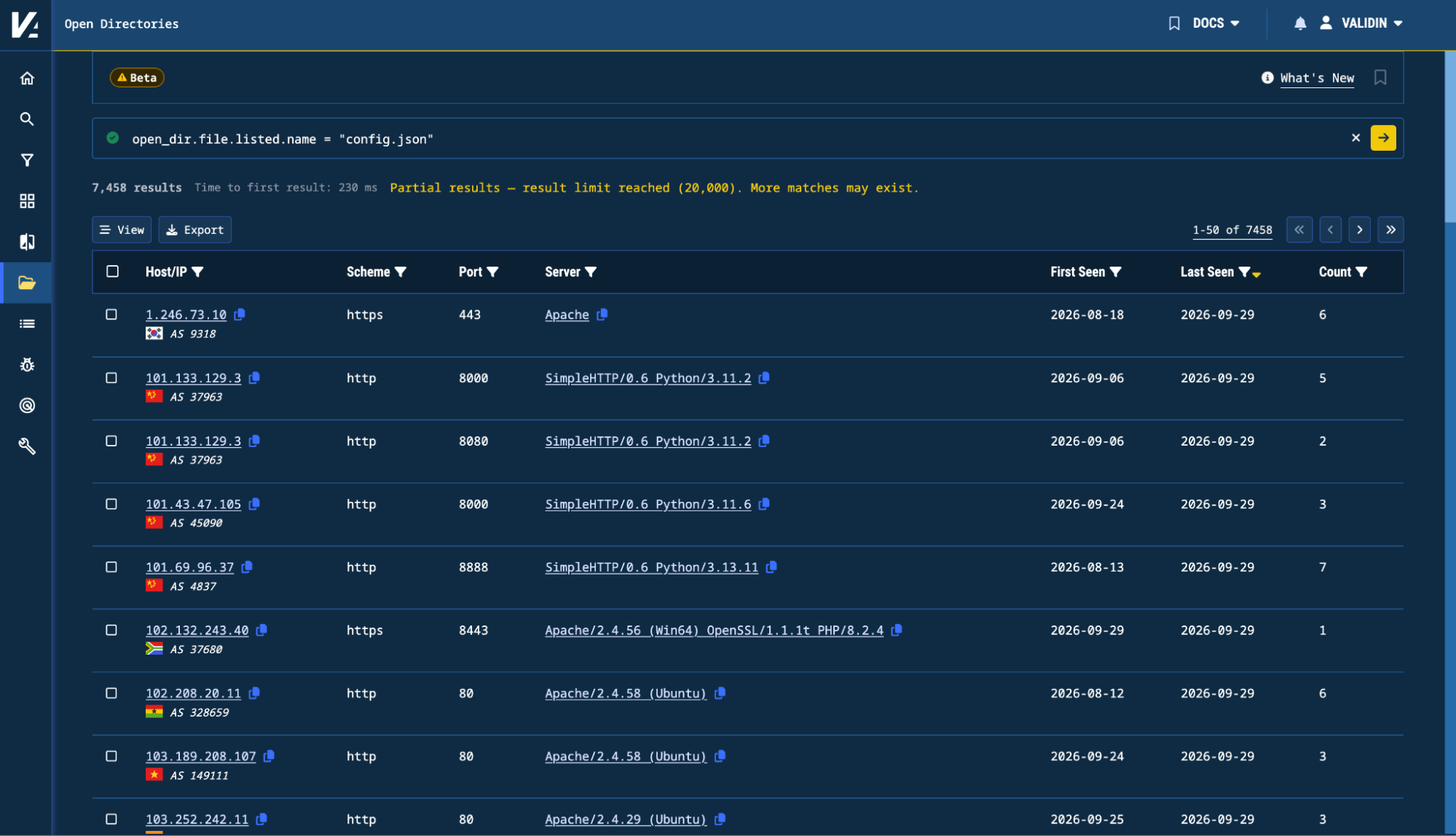
Figure 5. Searching for a listed filename: config.json.
This allows analysts to retain visibility into interesting filenames even when the corresponding file content is unavailable.
Tracking Changes Over Time
Open directories can be transient. Files are uploaded, modified, renamed, or removed, and the contents of an exposed server can change substantially over the course of an investigation.
Validin preserves multiple observations of the same directory and provides history and comparison functionality within the Explorer.
For directories, analysts can compare two captures to identify files and subdirectories that were:
- Added
- Removed
- Changed
For files, researchers can review available content or metadata changes between captures.
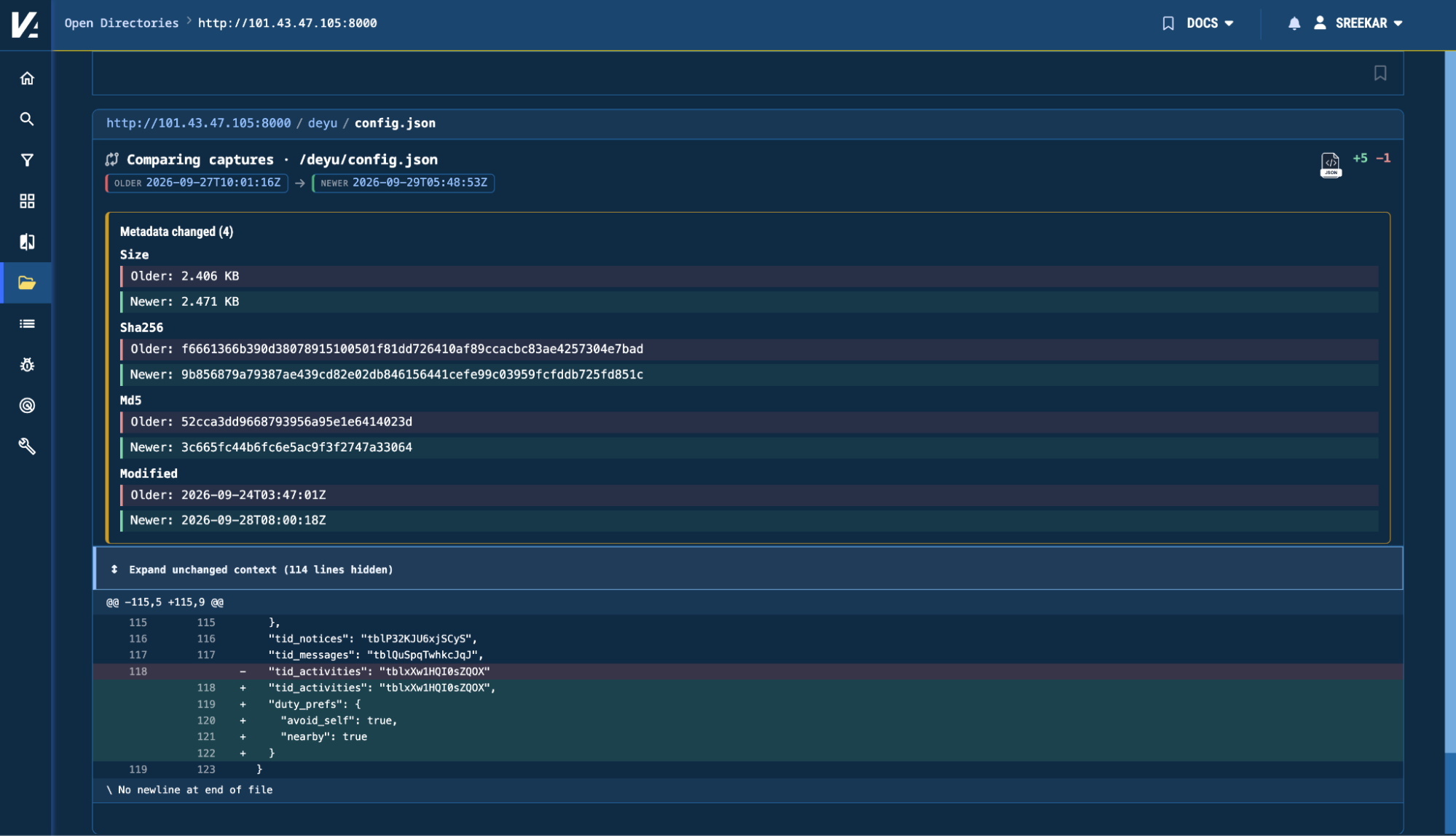
Figure 6. Comparing two captures shows changes in the file config.json.
This makes it possible to investigate not only what an exposed directory contains today, but also how the infrastructure has evolved over time.
Getting Started
Open Directories is available now to Validin Enterprise customers in beta.
Users can access the new experience through Open Directories within the Validin platform. Full documentation is available in the Open Directories docs.
As we continue expanding Validin’s internet intelligence datasets, Open Directories adds a new layer of context to infrastructure investigations. If you’re interested in learning more about Validin’s offerings, contact us.