Validin announces support for real-time event ingestion via webhooks
Takeaways
- Validin is officially launching Webhooks in Beta for proactive event notification
- Use webhooks to be notified in real time of new YARA matches and additions to threat profiles
- Create webhooks for Slack or integrations with other tooling
- Build workflows to trigger follow-up actions and discover additional threats
What are Webhooks?
Webhooks are officially being released in Beta for Validin Enterprise Users. Webhooks enable enterprise users to configure an endpoint that Validin will send matches to when we observe them.
With webhooks, you can configure a source in Validin to push event data directly to your tooling the moment something happens. Webhooks support two sources: Projects (for YARA rule matches) and Threats (for newly observed indicators and references on threat profiles). This means your team gets notified exactly when Validin observes a new YARA match on a live or retro hunt, or when there’s a new domain, IP, or reference for a specific threat profile.
Using Webhooks in Validin
Webhooks are available under Tools on the left sidebar, accessible to all Validin Enterprise customers.
To create your first webhook, visit the Webhooks page under Tools and click Add a Webhook in the top right. Provide a name, an optional description, and your destination webhook URL, then click Submit. You’ll receive a signing secret you should keep secure, Validin uses this to sign every outbound request with an HMAC SHA256 signature, allowing you to verify that requests are genuinely coming from Validin and not a third party. For additional security, you can also whitelist requests to Validin’s IP address, available in the documentation.
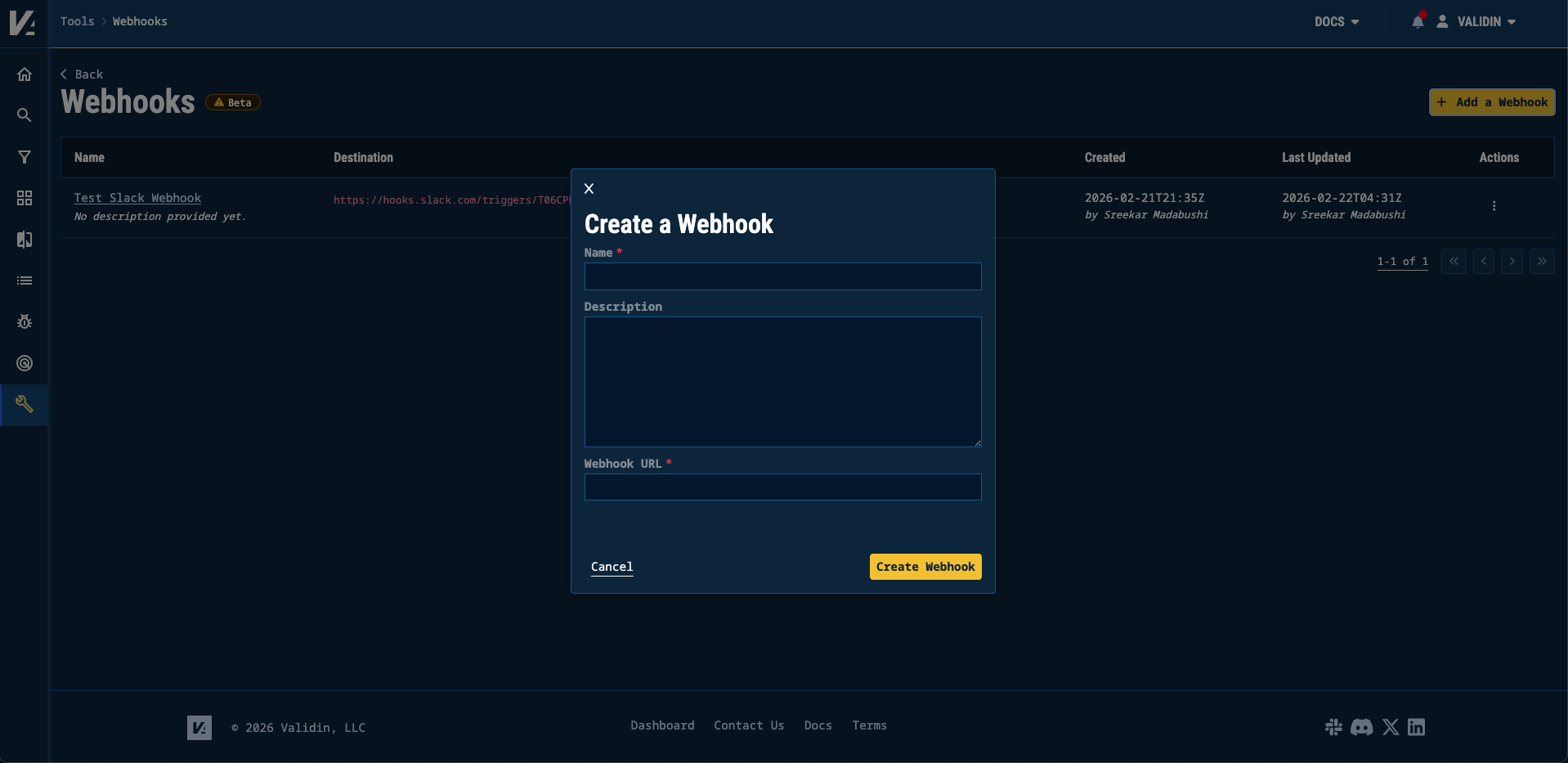
Modal to create a webhook in the Validin Platform
Once your webhook is created, configure Events to connect it to specific Projects or Threat Profiles. You choose exactly which fields get sent in each payload. The full list of supported fields for each data source is available in the webhooks documentation.
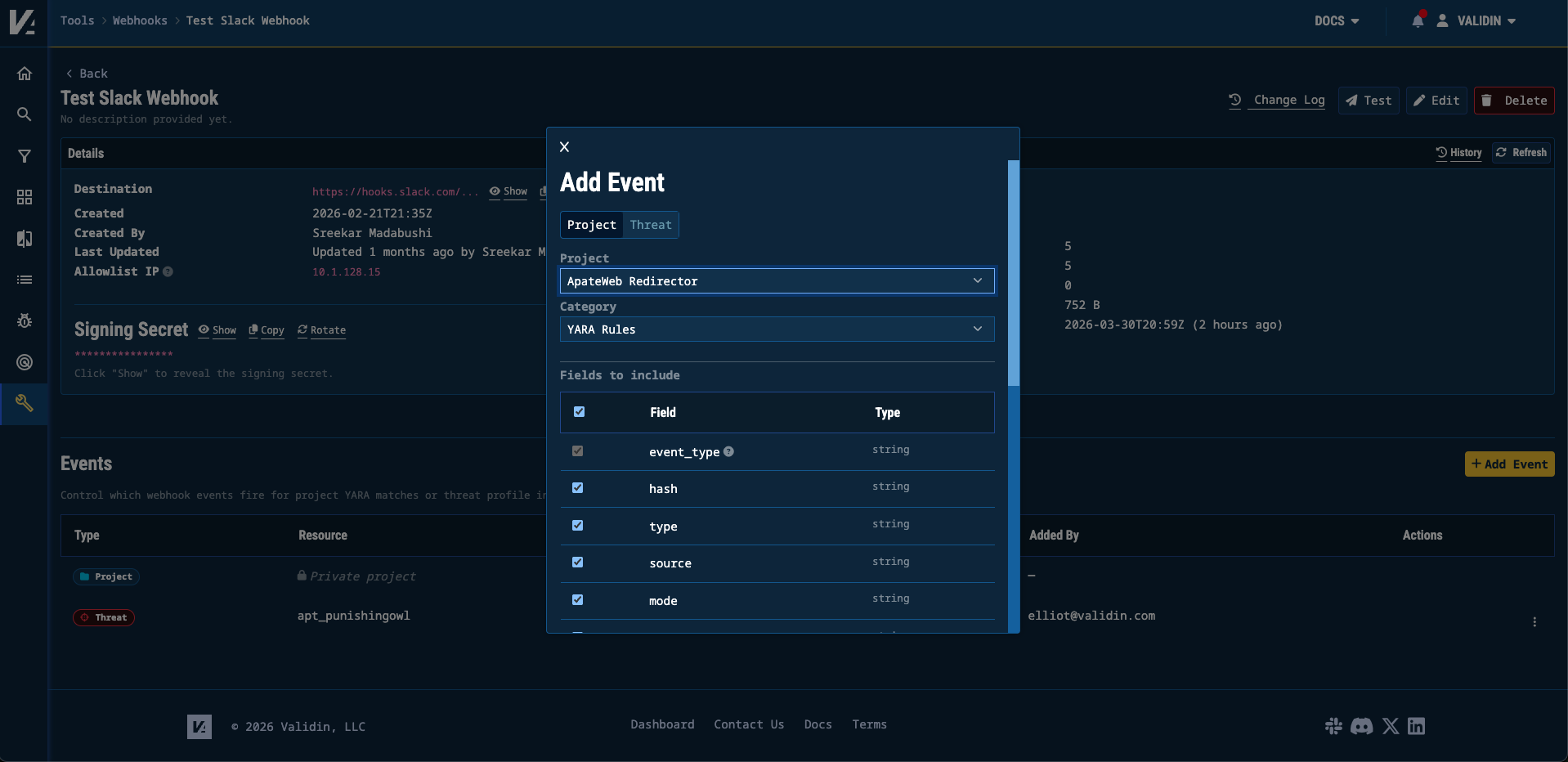
Modal to add events to trigger your webhook
The platform also includes a Test button so you can fire a custom payload to your endpoint and confirm everything is working before going live.
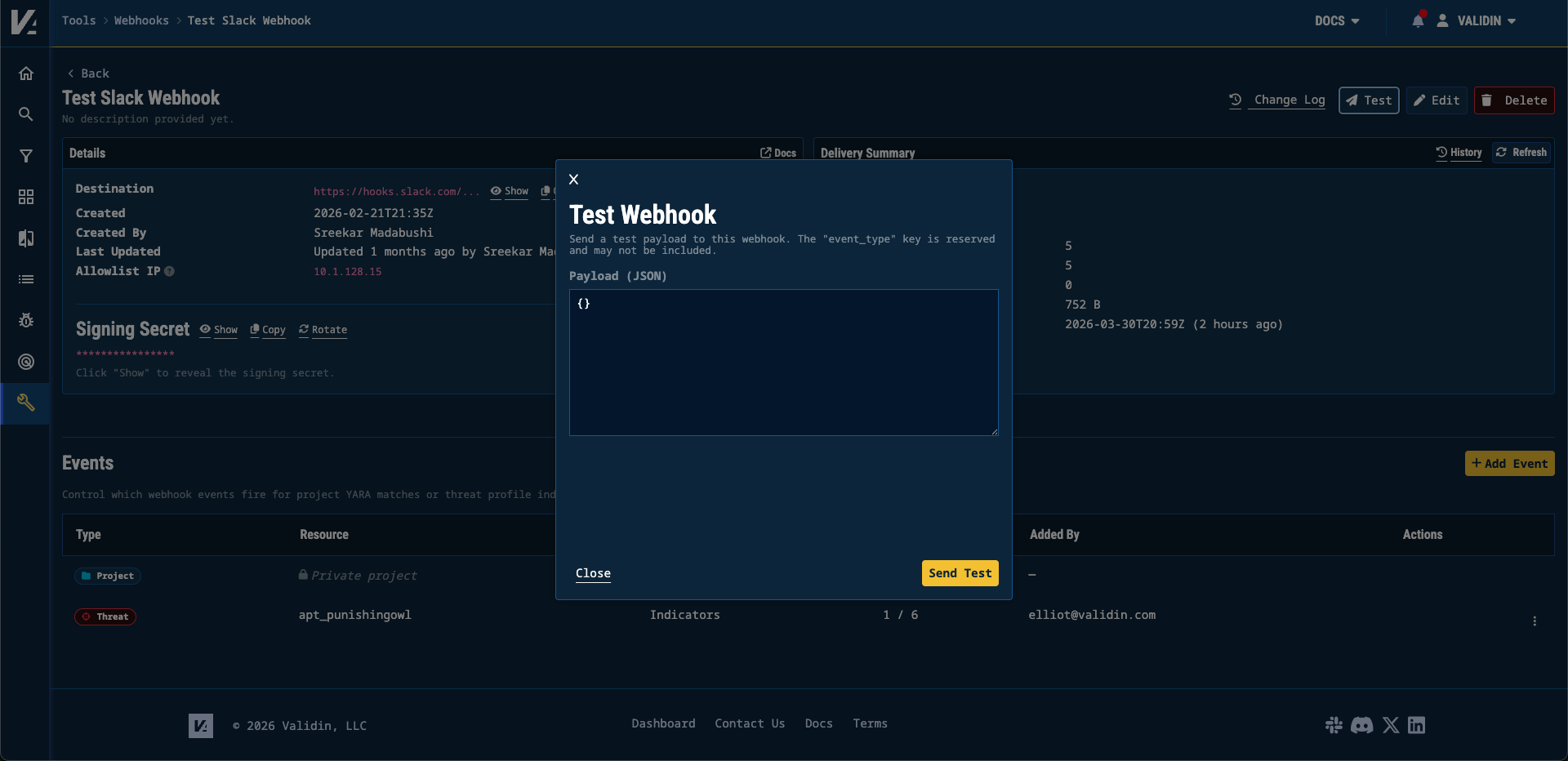
Modal to test your webhook
Use Case: Webhooks with Slack
The Validin Team has been testing webhooks internally by using them to send Slack notifications on triggered events. The full walkthrough is also available in the Webhooks with Slack documentation.
Configuration in Slack
Start by opening the Slack channel where you want to receive notifications. Click More > Workflows, then Add Workflow and Create a Workflow.
In the Workflow Builder, select From a webhook as the trigger. You’ll be prompted to Set Up Variables, configure these based on the Validin data source you’re connecting to and the fields you want included in your notifications (the full field reference is in the Validin Documentation).
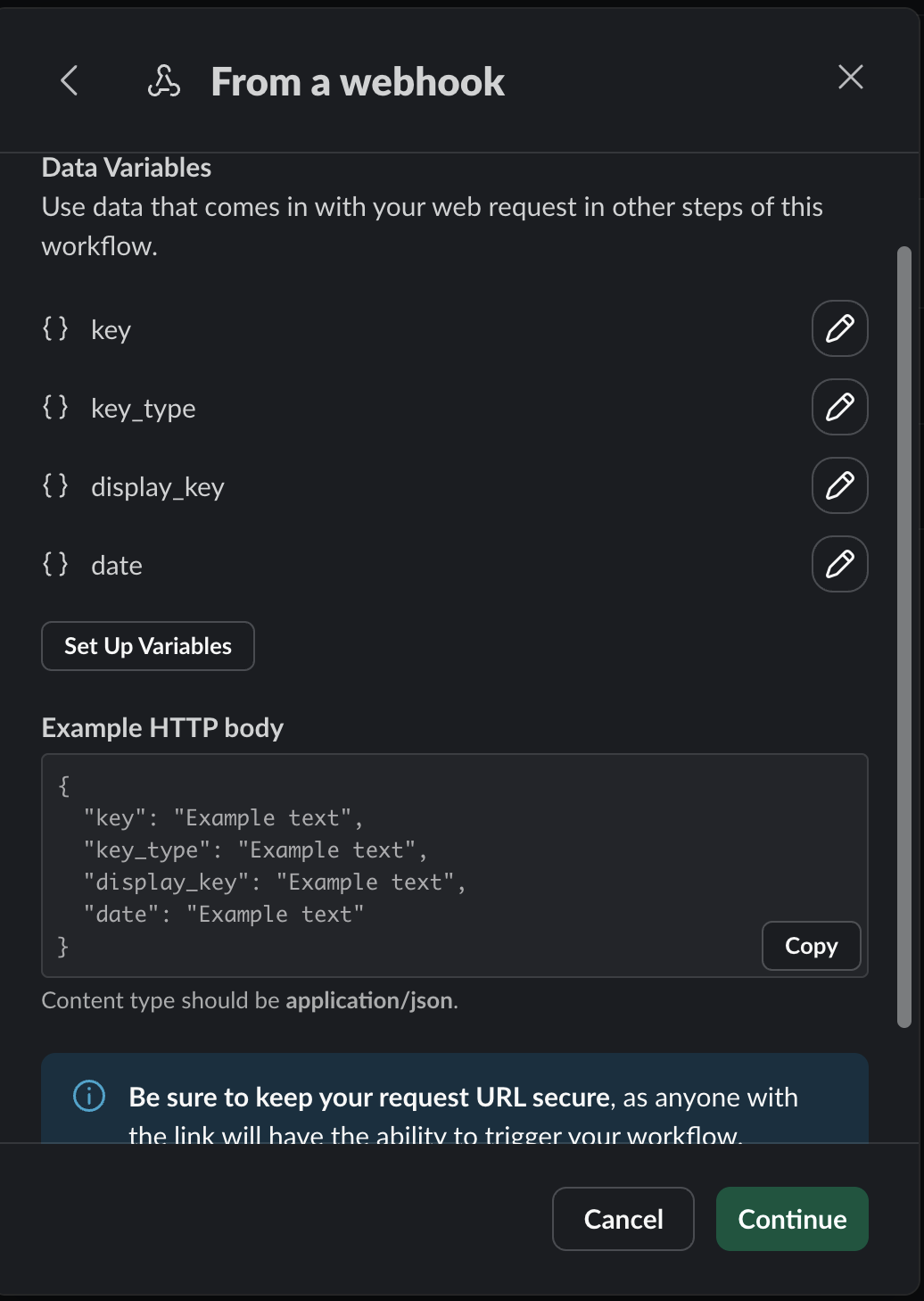
The ‘Set Up Variables’ popup in Slack’s Workflow Builder, configured for Validin threat indicator fields
Next, click Add Steps and select Send a message to a channel or Send a message to a person. Choose your target channel or recipient, then compose your message using the variables you defined — so each notification arrives pre-populated with the relevant threat data. When you’re done, click Save, then Finish Up in the top right. Give the workflow a name, description, and the appropriate permissions, and click Publish. Slack will generate a webhook URL for the next step.
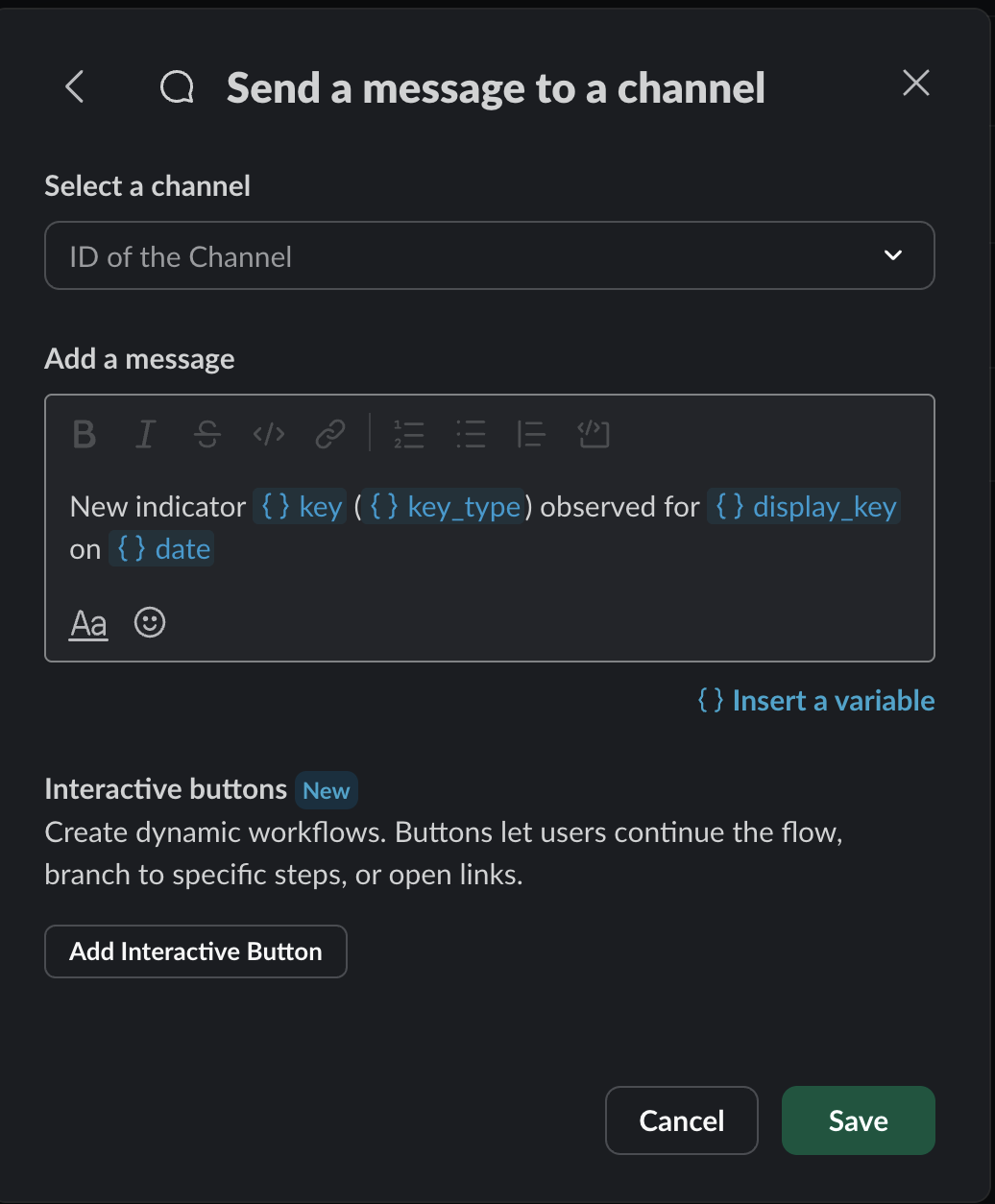
‘Send a message to a channel’ configuration in Slack, showing variables used to populate the message body
Configuration in Validin
In Validin, go to Tools > Webhooks and click Add a Webhook. Give it a name and description, then paste in the webhook URL you just generated from Slack. Under Events, click Add to connect the webhook to the specific Projects and/or Threat Profiles you want it to monitor. Once saved, Validin will begin posting to your Slack channel whenever a matching event is observed.
Conclusion
At Validin, it is our mission to give CTI analysts the best tooling possible to find and operationalize intelligence. Webhooks are a step forward to enable analysts to build powerful threat hunting workflows. If you have feedback about the webhooks experience, please reach out to lets.talk@validin.com.